Last updated: July 29, 2026
AI agents in marketing can sound like a universal automation layer: research leads, segment contacts, write reports, prepare follow-ups, repurpose content. For SMEs in Austria and the wider DACH region, the better question is much more practical: Where is the data, who is allowed to execute what, and how do you catch mistakes before an agent sends incorrect output to customers?
The good news: AI agents are becoming more useful. Not because their reasoning has suddenly changed, but because they sit closer to real systems: CRM, forms, spreadsheets, email, Slack or Teams, analytics and content tools. That is where value appears — if the workflow is narrow enough.
The bad news: an agent with too many permissions is not a productivity helper. It is an operational risk with API access. Small teams do not need a fully autonomous marketing machine. They need controlled agents for recurring preparation work.
In this article
- we compare HubSpot Agent Hub, Zapier Agents and n8n AI Agents from an SME/DACH perspective
- we show which marketing tasks are actually worth automating
- we separate harmless internal automation from risky external actions
- we build a setup plan with consent, logs, approvals and cost control
- we give practical examples for small marketing, sales and service teams
Glossary for this article
If you want to look up specific terms: AI agents, LLM, prompt, CRM, marketing automation, workflow automation, consent, lead triage, content repurposing, API, ICP, KPI, UTM, QA and DACH are now explained in the Freshestweb glossary.
Quick decision: which model fits when?
HubSpot Agent Hub / CRM agents fit best when HubSpot is already the operational center: contacts, deals, forms, lifecycle stages, campaigns and tickets are already reasonably clean. Then an agent can use CRM context to prepare work: summarize leads, flag missing data, draft follow-ups or triage tickets.
Zapier Agents fit best when many tools need to be connected and the team wants to move quickly without engineering: Typeform, Google Sheets, Gmail, Slack, Notion, Airtable, HubSpot, webhooks. Zapier is strong for no-code orchestration, but needs strict boundaries or the automation stack quickly turns into spaghetti.
n8n AI Agents fit best when control, data ownership, debugging and custom workflows matter more than the fastest start. For DACH SMEs with sensitive lead, customer or internal data, n8n is interesting because self-hosting, logs, webhooks and workflow exports are easier to control — but somebody has to take operations seriously.
My practical rule of thumb:
- CRM is clean and HubSpot is already in use? Start with HubSpot-near agents.
- Many SaaS tools, little technical time? Start with Zapier Agents.
- Data ownership, debugging or custom APIs matter? Start with n8n.
- CRM is full of duplicates and consent is unclear? Fix data hygiene first, then add agents. This is a prerequisite, not an optional cleanup step.
1. Why AI agents in marketing are becoming more practical
The difference between a chatbot and a useful agent is system access. A chatbot writes text. An agent can, within boundaries, read data, execute steps, store results and prepare the next useful action.
Typical examples:
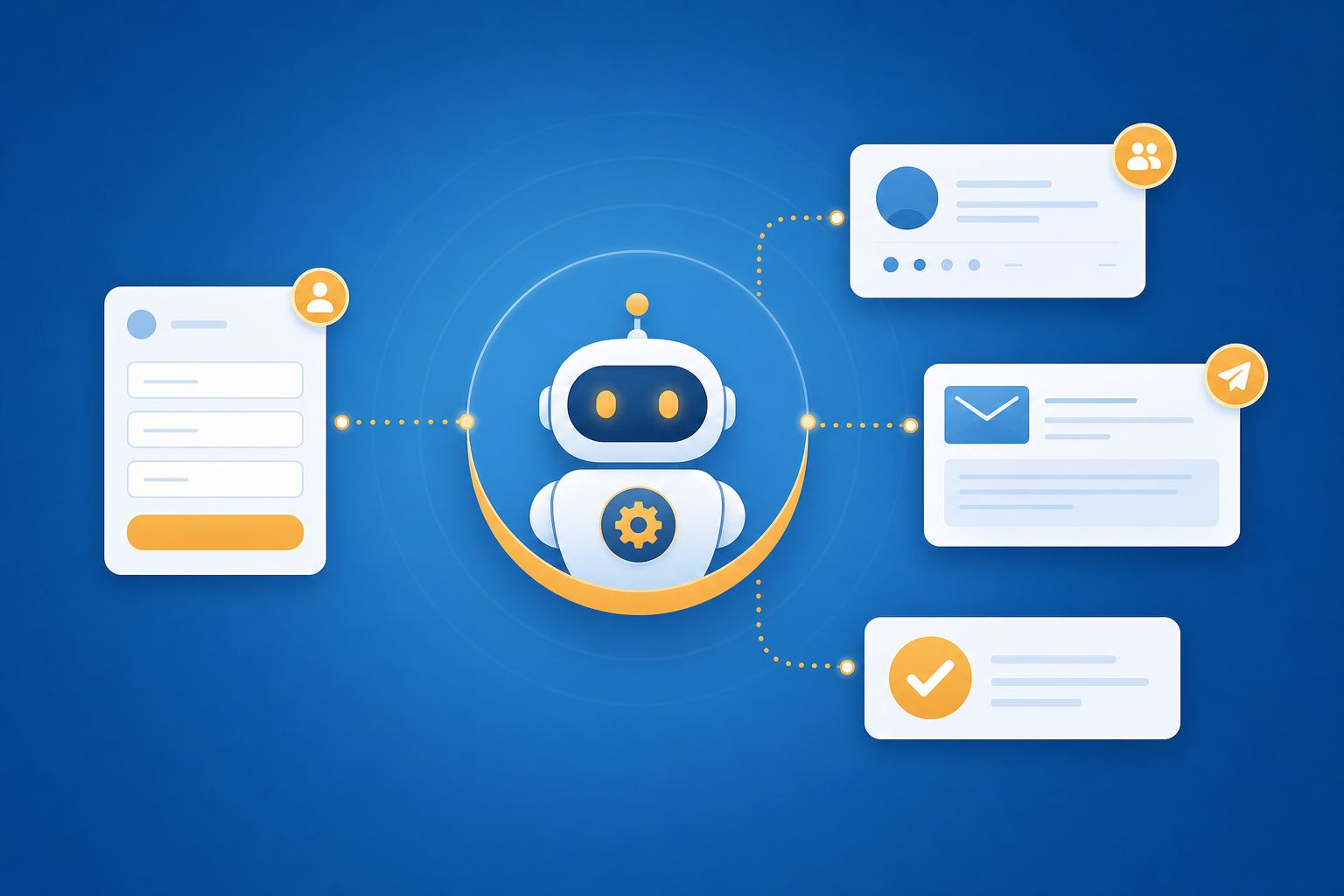
- new form submission comes in → agent creates a lead summary and fit assessment
- new blog post is live → agent prepares a LinkedIn draft, newsletter snippet and sales note
- monitoring finds a brand mention → agent classifies the mention and routes it to PR, SEO or sales
- weekly report is ready → agent summarizes changes and marks next actions
The value does not come from “AI” alone. It comes from reducing friction between signal and action.
For SMEs in the DACH region, this is especially relevant because many teams are stuck between two worlds: enough digital processes to create constant work, but not enough operations capacity to run everything cleanly.
2. The best first use cases for SMEs
Do not start with the most visible automation. Start with a process that is annoying every week and can be controlled.
Good first use cases:
- Lead triage: summarize demo requests or contact forms, assess company fit and suggest the next question.
- CRM hygiene: flag missing fields, duplicates, unclear lifecycle stages or missing consent.
- Follow-up drafts: prepare three email variants after a webinar, first call or event — but do not send automatically.
- Content repurposing: turn a blog post into a LinkedIn teaser, newsletter section, sales snippet and FAQ ideas.
- Monitoring routing: summarize Google Alerts, Brand24, Talkwalker or Search Console signals and route them to the right person.
- Campaign QA: check UTM parameters, landing page, CTA, target region, approval status and obvious mistakes.
Bad first use cases:
- automatic customer emails without approval
- discounts or offer logic
- legal statements, GDPR answers or contract replies
- budget changes in ads accounts
- segment changes on large lists without review
The best first agent is an internal operator, not a foreign minister.
3. HubSpot Agent Hub: strong when CRM and processes are already decent
HubSpot-near agents are attractive because the most important data often already lives in the system: contacts, forms, deals, tickets, campaigns and emails. That means less glue work than with freely connected tools.
Useful tasks:
- summarize and prioritize new leads
- flag missing data in contacts and deals
- prepare follow-up drafts based on deal context
- classify tickets and suggest standard replies
- structure marketing-to-sales handoffs
Important for SMEs: HubSpot agents are only as good as the CRM foundation. If lifecycle stages are unclear, consent fields are missing or owners are not maintained, the agent will not improve the process — it will accelerate mistakes.
Practical pre-flight check: Pull ten random contacts and check:
- Is consent documented?
- Is the lifecycle stage plausible?
- Is there an owner?
- Is the latest activity understandable?
- Are country/region fields correct for DACH campaigns?
- Are there duplicate contacts?
If this check hurts, that is not an argument against AI agents. It is an argument for fixing the data foundation first.
Deep dive: HubSpot Agent Hub: CRM agents for small teams
4. Zapier Agents: fast, broadly integrated, but governance matters
Zapier is strong when a small team needs to connect many SaaS tools. That is often SME reality: form here, CRM there, newsletter tool next to it, Slack or Teams as the middle layer, reports in Sheets.
Useful tasks:
- evaluate a lead form and write a CRM note
- distribute new content assets to newsletter, social and internal channels
- classify incoming monitoring hits
- post weekly report summaries
- create simple briefs from product information and audience notes
The advantage is speed. The disadvantage is also speed. Zapier makes it easy to create many small automations quickly. Without owners, test cases and an error channel, that becomes a spaghetti system.
Governance minimum for every Zapier agent:
- clear owner
- allowed data sources
- allowed actions
- test case list
- error channel
- cost/task limit
- label: “allowed to send externally: yes/no”
For most teams, the answer at the beginning should be: no external sending.
Deep dive: Zapier Agents for marketing automation in small teams
5. n8n AI Agents: more control, more maintenance
n8n is the more controllable path when workflows need to be observable, exportable and technically testable. That is especially interesting when sensitive data, custom APIs, internal databases or self-hosting requirements are involved.
Useful tasks:
- webhook-based lead triage with test and production paths
- internal report automation with visible logs
- content briefs from owned sources
- CRM updates with approval steps
- monitoring workflows with classification and routing
In return, n8n needs more operational discipline:
- store credentials safely
- verify backups
- export workflows
- monitor errors
- measure model costs
- keep test data separate
A simple operator command if n8n runs via Docker Compose:
docker compose logs -f n8n
And a webhook test for a lead triage workflow could look like this:
curl -X POST "https://your-n8n.example/webhook/lead-triage-test" \
  -H "Content-Type: application/json" \
  -d '{"email":"[email protected]","company":"Example GmbH","country":"AT","message":"We would like a demo for our marketing team"}'
Deep dive: n8n AI Agents for self-hosted marketing automation
6. Setup plan: build a safe marketing agent in 6 steps
Step 1: Define a narrow job
Not: “Improve our marketing.”
Better: “Evaluate new demo requests from Austria and Germany, create an internal summary, flag missing CRM fields and suggest one follow-up question.”
Step 2: Limit data sources
Give the agent only what it needs: form submission, CRM contact, website URL, product positioning, ICP criteria, allowed target regions. No global access to everything connected somewhere.
Step 3: Define the output
A good result is short and decision-ready:
Priority: A / B / C
Reason: 2-3 bullet points
Risk: missing consent / unclear request / duplicate
Next step: concrete recommendation
Uncertainty: what should a human check?
Step 4: Add approval
The agent may prepare internally. External communication, segment changes, deal stage updates, offers and budget actions should require approval at the beginning.
Step 5: Store logs
Store at least:
- input
- sources used
- decision
- output
- error status
- human decision afterwards
Without logs, agent automation looks impressive until nobody knows why something happened.
Step 6: Review weekly
Plan 15 to 20 minutes per week:
- Which suggestions were useful?
- Which were wrong?
- Where is data missing?
- Which prompts or rules need adjustment?
- What is the cost per lead or workflow run?
That is not overhead. It is the cost of keeping agent outputs reliable and controlled.
7. Three practical examples for DACH SMEs
Example 1: Lead triage for a B2B SaaS in Austria
A demo request comes in. The agent checks country, company size, role, request text and existing CRM history. It creates an internal note:
- fit: good, B2B, DACH, concrete demo question
- missing: check industry and consent source
- next step: personal reply within 24 hours
- follow-up question: “Which existing tools should be integrated?”
The agent sends nothing itself. Sales decides.
Example 2: Content repurposing for a small agency
A new blog post is published. The agent prepares:
- LinkedIn draft for the founder
- newsletter snippet
- internal sales note
- three FAQ questions for later content expansion
Everything stays in review. The value is that content does not disappear after publishing.
Example 3: Brand monitoring for a regional brand
Monitoring hits from Google Alerts, Talkwalker or Brand24 go into an agent. It sorts:
- real brand mention
- irrelevant hit
- competitor signal
- potential SEO opportunity
- critical PR case
Only critical hits go to a human immediately. The rest becomes a weekly summary.
Related context: Google Alerts alternatives: Talkwalker Alerts, Mention or Brand24
8. Privacy, consent and DACH reality
For SMEs in Austria, Germany and Switzerland, privacy is not decoration. Once agents touch leads, customer data, support cases or email lists, you need clear rules.
Practical minimum questions:
- Which personal data does the agent process?
- In which system does that data live?
- Is an external model provider used?
- Is there a data processing agreement or suitable contractual basis?
- May the agent pass data to other tools?
- Is consent checked before an action with external impact is prepared?
- Can outputs be deleted, audited or exported?
This is not a reason to do nothing. It is a reason to start small and controlled: internal notes, summaries, routing and drafts are usually much lower-risk than automatic customer communication.
9. Avoiding mistakes: typical agent risks
Symptom: The agent writes wrong follow-ups.
Cause: poor CRM context or no consent check.
Fix: block external actions, require consent as a field, create drafts only.
Symptom: Automation becomes expensive.
Cause: too many model calls per lead.
Fix: pre-filter, cache, use smaller models for simple classification, measure cost per workflow run.
Symptom: Nobody knows why a lead was prioritized.
Cause: no logs and no decision format.
Fix: store decision, sources and uncertainty.
Symptom: The team ignores agent outputs.
Cause: the agent produces walls of text instead of decision support.
Fix: hard-limit the format: priority, reason, risk, next step.
10. Ask your AI tool / LLM / agent directly
If you do not know where to start, give your AI tool your process and ask it to find the boundaries:
- “Which three marketing tasks in our SME are suitable for an agent without risking external communication?”
- “Where does this workflow need human approval?”
- “Which data quality checks are required before a CRM agent can work usefully?”
- “How would I build this Zapier, n8n or HubSpot workflow so that errors are visible?”
- “Which personal data does this agent process and how can I make the use case lower-risk?”
Conclusion: small agents, clear boundaries, real value
AI agents are useful for SMEs when they reduce operational friction: assess leads faster, show data gaps, repurpose content, sort monitoring, summarize reports. They are not useful as an unsupervised autopilot for customer communication, discounts, legal statements or budget decisions.
The best start is deliberately practical: one narrow use case, few data sources, internal outputs, approval before external impact, logs and a weekly review. That is how “AI agents in marketing” becomes a small, useful operations helper.