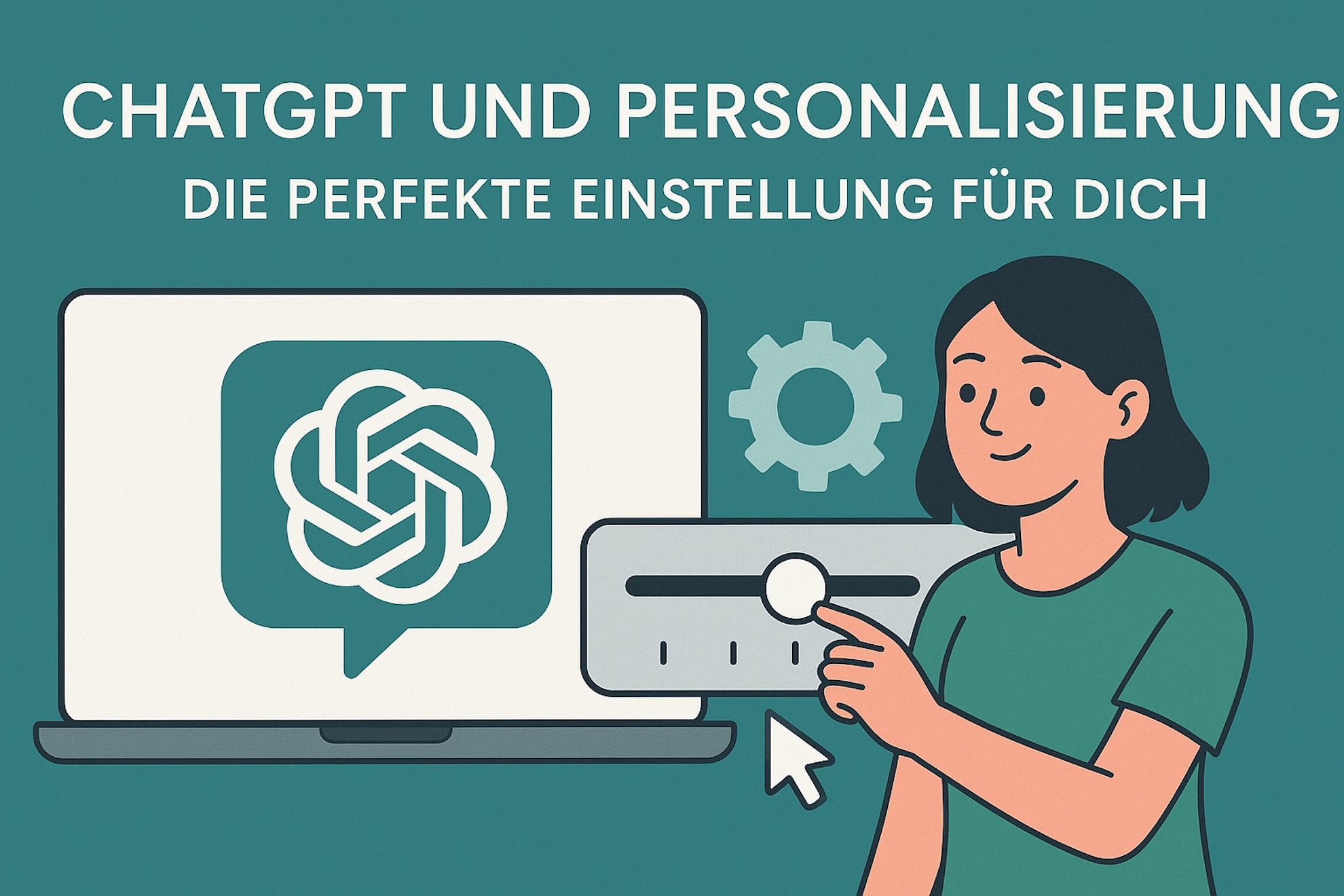
ChatGPT becomes much more useful when every conversation does not start from zero. Many people still use AI like a search engine with a chat box: ask a question, read the answer, explain the same context again next time. That works for simple tasks. For marketing, sales, assistance, personal organization or serious discussions, it is usually too vague.
The lever is personalization. When ChatGPT understands your role, your goals, your preferred answer structure and your quality criteria, the output becomes easier to use. The model has to guess less, asks better questions and is more likely to produce work that fits your real context.
This is not a theoretical prompting guide. It is a practical setup for custom instructions, memory and projects, with examples for marketing, sales, personal use, assistance tasks and ChatGPT as a sparring partner for discussions.
In this article
You will learn:
- which levels of ChatGPT personalization matter in practice
- what belongs in custom instructions, memory and projects
- how to personalize ChatGPT for marketing, sales, personal productivity and assistance
- how to use ChatGPT as a sparring partner for discussions
- which privacy and quality boundaries to define
- how to test and improve your personalization step by step
1. What ChatGPT personalization really means
Personalization does not mean that ChatGPT uses your first name or sounds friendlier. Good personalization defines how the AI should work: which perspective it should take, which information remains relevant over time, how detailed answers should be and what a good answer looks like.
A useful model has four layers:
- Custom instructions: your general working style and answer preferences.
- Memory: long-term information about your role, preferences and recurring work.
- Projects or work contexts: rules, files and goals for a specific brand, campaign, task or role.
- The individual prompt: the concrete task in the current conversation.
If you separate these layers, ChatGPT becomes more consistent. If you put everything into one giant prompt, the setup quickly becomes noisy.
2. Custom instructions: your global working style
Custom instructions are the baseline. They should be short enough to work in many situations, but concrete enough to improve the output.
Good custom instructions answer four questions:
- Who are you or which role do you often work in?
- How should answers be structured?
- How should ChatGPT handle uncertainty?
- When should it ask questions and when should it work with assumptions?
A solid basic setup:
Answer in English, clearly, practically and without unnecessary filler. Start with a short assessment, then give concrete steps. If information is missing, ask at most three targeted questions. If a reasonable assumption is possible, continue with that assumption and label it clearly.

A good answer is specific, actionable and includes examples. Do not invent numbers, sources or customer data. If a statement is uncertain, mark it clearly.
This is intentionally general. It does not force every answer into a long analysis, but it sets useful rules: direct, practical, careful with facts and disciplined with follow-up questions.
3. Memory: what should be remembered long term
Memory is useful for information that remains helpful across many conversations: roles, recurring projects, preferences and typical output formats.
Good memory entries are stable and concise:
I work in B2B marketing and often write for decision makers in mid-sized companies.
I prefer clear recommendations with a short rationale, concrete next steps and risks.
My texts should sound professional, direct and easy to understand, not overly promotional.
Do not store:
- passwords, API keys or credentials
- confidential customer data
- short-term tasks
- internal numbers that change quickly
- private information you do not want stored permanently
A simple rule: if the information will still be true in three months and helps regularly, it can go into memory. If it is only relevant for one client or project, put it into a project context instead.
4. Projects: context for brands, clients and tasks
Projects are useful when ChatGPT should stay consistent for a specific brand, campaign, target audience or workflow. You can store style guides, product information, target groups, examples, meeting notes or briefings.
Example for a marketing project:
This project is about our B2B SaaS brand in the DACH market.
Target audience: marketing leads and managing directors in mid-sized companies.
Tone: clear, competent, practical, not hype-driven.
Primary goal: demo requests.
Secondary goal: newsletter signups.
For content tasks, always consider positioning, audience, value proposition, CTA and distribution channel.
Example for a personal assistance project:
This project helps me with weekly planning, prioritization and personal organization.
Work calmly, concretely and without motivational filler.
Help me sort tasks, define next steps and reduce unnecessary complexity.
If something is unclear, ask only for information that would materially change the decision.
The advantage: global custom instructions stay lean, while individual projects hold enough context for high-quality work.
5. Setup plan: personalize ChatGPT in 30 minutes
Step 1: collect your main use cases
Write down what you regularly use ChatGPT for. Three to five use cases are enough.
Examples:
- developing campaign ideas
- writing sales emails
- preparing meetings
- structuring your personal week
- thinking through discussions and decisions
Step 2: define your answer format
Decide how most answers should be structured.
Prefer this answer structure:
1. short assessment
2. concrete recommendation
3. step-by-step plan
4. risks or assumptions
5. next useful step
Step 3: add quality criteria
Many prompts only describe what ChatGPT should do. Better prompts also define what good work looks like.
A good answer is concrete, actionable and includes at least one example. If a statement is uncertain, mark it as an assumption. Do not invent numbers, sources or customer data.
Step 4: limit follow-up questions
Too many questions slow things down. Too few questions lead to bad assumptions.
If information is missing, ask at most three targeted questions. If a plausible assumption is possible, continue with it and label it.
Step 5: test with real tasks
Do not test personalization with abstract questions. Use real work:
Write a LinkedIn announcement for a webinar.
Write a follow-up after a sales call.
Plan my week with these tasks and appointments.
Take the opposing view and show me where my argument is weak.
Step 6: refine the setup
If answers are too long, too soft, too generic or too risky, do not fix every prompt individually. Improve your personalization. That is where the productivity gain comes from.
6. Example: personalize ChatGPT for marketing
In marketing, ChatGPT should not only write polished copy. It should consider audience, positioning, channel, CTA and conversion goal.
Copy-paste setting for marketing
You are my senior marketing assistant.
Answer clearly, directly and practically.
For marketing tasks, always consider target audience, positioning, value proposition, channel context, conversion goal and next implementation step.

When I plan content, campaigns or ads, provide:
1. short strategic assessment
2. audience assumption
3. 3-5 concrete variants
4. recommendation with rationale
5. next implementation step

When useful, add SEO title, meta description, hook, CTA, LinkedIn version, newsletter version or landing page section.
Avoid generic marketing phrases such as “revolutionary”, “innovative” or “maximize your potential” unless I explicitly ask for promotional variants.
Marketing example 1: LinkedIn post
Prompt:
Write a LinkedIn post for our webinar on GA4 conversion tracking for B2B marketers. Goal: registrations. Tone: concrete, not hype-driven.
With good personalization, ChatGPT should not only write one post. It should provide hook variants, a clear audience assumption, CTA and a recommendation for the strongest version.
Marketing example 2: improve a landing page
Prompt:
Review this landing page section. The target audience is managing directors in mid-sized companies. The goal is a demo request. Mark unclear value propositions and write a better version.
A personalized answer should not just say “show more value”. It should identify specific issues: unclear audience, weak proof, soft CTA, missing risk reduction.
Marketing example 3: develop a campaign
Prompt:
Develop a small campaign for a whitepaper about AI in sales. Channels: LinkedIn, newsletter, retargeting. Goal: demo requests.
With the marketing setting, this becomes a compact campaign brief: audience, hook, offer, landing page angle, ad angles, email sequence and measurement points.
7. Example: personalize ChatGPT for sales
Sales needs a different kind of answer than marketing. Less theory, more next action. ChatGPT should help prepare calls, write follow-ups, handle objections and move deals forward.
Copy-paste setting for sales
You are my sales coach and sales assistant.
Answer briefly, directly and action-oriented.
Priorities are customer value, objection handling, next best action and clear wording.

When I give you a lead, conversation or objection, always provide:
1. short assessment
2. possible motivation or concern of the customer
3. 3 response options
4. recommended wording
5. next step

Write messages naturally, professionally and without pressure.
No aggressive sales language. No artificial hype.
Sales example 1: follow-up after a demo
Prompt:
Write a follow-up after a demo. The customer liked the reporting features but is unsure about implementation effort. Goal: next meeting with the tech lead.
A good personalized answer summarizes the context, takes the concern seriously, reduces perceived risk and proposes a concrete next meeting.
Sales example 2: objection handling
Prompt:
A prospect says: “This is not a priority right now.” Give me three response options and recommend when to use which one.
ChatGPT should not push blindly. It should separate lack of need, bad timing and unclear internal ownership.
Sales example 3: account preparation
Prompt:
Prepare me for a discovery call with a B2B SaaS company. Known facts: 80 employees, strong growth, marketing and sales work separately. Give me hypotheses, questions and risks.
With sales personalization, the output becomes a call plan: possible pain points, prioritization, stakeholder questions, technical risks and a sensible close.
8. Example: ChatGPT for personal use
Personalization is not only useful at work. In everyday life, ChatGPT can help structure decisions, organize information and simplify small routines.
The important boundary: ChatGPT should not become a vague life coach. Good personalization turns it into a practical organizing tool.
Copy-paste setting for personal use
You are my personal organization assistant.
Answer calmly, clearly and practically.
Help me sort tasks, prepare decisions and make next steps small.
No motivational filler. No therapy language. No dramatic wording.

When I give you many loose thoughts, structure them into:
1. topics
2. decisions
3. concrete next steps
4. things that can wait
5. open questions
Personal example 1: weekly planning
Prompt:
Here are my tasks for the week: sort tax documents, book two doctor appointments, buy a birthday gift, finish a project proposal, restart exercise. Help me sort this realistically.
A good answer breaks tasks into small next actions: book the appointment, sort documents into three piles, choose the gift today, split the proposal into two focus blocks.
Personal example 2: prepare a decision
Prompt:
I am deciding whether to go away for the weekend or stay home. Ask me five good decision questions and then summarize a recommendation based on my answers.
Personalization helps because ChatGPT knows you want a decision aid, not a long abstract pros-and-cons essay.
Personal example 3: sort information
Prompt:
I have these notes about a possible move. Sort them by cost, effort, risks and open questions.
The result is not a random recommendation. It is a structured overview you can continue working with.
9. Example: ChatGPT as an assistance system
Assistance is one of the strongest use cases for personalization. ChatGPT can prepare meetings, condense notes, draft emails, structure research and derive next steps from messy input.
The difference between “ChatGPT as text generator” and “ChatGPT as assistant” is the working mode. An assistant asks about goal, recipient, context and decision. It does not only write text; it makes work usable.
Copy-paste setting for assistance
You are my structured work assistant.
Help me with preparation, summaries, research, email drafts and task clarification.
Work precisely, discreetly and action-oriented.

For notes or raw material, provide:
1. short summary
2. decisions
3. open questions
4. next steps
5. optional email or Slack draft

If information is missing, ask only for details that would significantly change the result.
Assistance example 1: prepare a meeting
Prompt:
Prepare a 30-minute meeting with our web analytics provider. Topic: why GA4 conversions and CRM demo requests do not match.
A good assistant answer provides agenda, diagnostic paths, roles, questions and a desired outcome.
Assistance example 2: condense notes
Prompt:
Summarize these meeting notes for my team. Focus on decisions, tasks, risks and who does what by when.
Personalization makes the output a usable working document, not just a pleasant summary.
Assistance example 3: write an email from context
Prompt:
Write a short email to a client. Context: we still need access to Google Search Console and GA4, otherwise we cannot finalize the SEO report. Tone: friendly, clear, not accusatory.
With the assistance setting, this becomes a clear message with subject, context, request and next step.
10. Example: ChatGPT as a sparring partner for discussions
One underrated use case: ChatGPT as a thinking partner. Not to agree with you, but to test your position.
For this, your personalization must explicitly allow disagreement. Otherwise, the answer often becomes too agreeable.
Copy-paste setting for sparring
You are my critical but fair sparring partner.
Help me sharpen arguments, find blind spots and seriously test opposing views.
Disagree when my assumptions are weak. Stay factual and constructive.

For discussions, provide:
1. my core thesis in your words
2. strongest arguments in favor
3. strongest counterarguments
4. blind spots or unsupported assumptions
5. a better version of my position
6. questions I should answer before deciding
Sparring example 1: test a strategy
Prompt:
My thesis: this year we should focus entirely on LinkedIn and newsletter and stop producing SEO content. Test this thesis critically.
A good answer does not simply agree. It separates short-term pipeline, long-term demand, brand building, search intent, resources and measurability.
Sparring example 2: prepare a team discussion
Prompt:
I need to argue that we should use fewer tools and introduce more standard processes. Simulate the counterarguments from sales, marketing and management.
ChatGPT becomes a preparation partner: it helps anticipate objections instead of just polishing your own opinion.
Sparring example 3: make a decision more robust
Prompt:
We are considering buying a new AI tool. First take the skeptical CFO perspective, then the operational marketing perspective. End with a balanced recommendation.
This pattern is useful because it forces ChatGPT to take multiple roles seriously.
11. Role modes instead of one giant setup
Many people work in multiple roles. A founder handles strategy, sales, marketing and hiring. A marketing lead writes content, analyzes data and leads people. You do not need one overloaded global personalization for that. You need role modes.
Global instruction:
When I name a mode, adapt structure, depth and tone. Supported modes: Marketing, Sales, Assistance, Personal, Sparring, Executive. If no mode is named, answer practically and briefly with concrete next steps.
Then you can write:
Answer in sales mode: how should I respond to this objection?
Answer in sparring mode: what is weak in my argument?
Answer in assistance mode: sort these notes into decisions, tasks and open questions.
This is often more stable than one global instruction that tries to be marketing director, coach, project manager and critic at the same time.
12. Privacy and boundaries
The more personalized ChatGPT becomes, the more important clear boundaries are. Personalization is useful, but it should not become a storage place for sensitive information.
Do not store:
- passwords and API keys
- health or financial data
- confidential customer data
- internal strategies that should not live permanently in an AI system
- personal information about third parties
Better:
- add sensitive details only in the current chat when needed
- anonymize client data
- separate project contexts consciously
- review saved memories regularly
- follow company policies
Pro tip: Write memory entries as stable work preferences, not as a database. “I prefer short decision memos” is useful. “Client X has budget Y and problem Z” does not belong in global memory.
13. Before and after: what good personalization changes
Before:
Write me a LinkedIn post.
After:
Marketing mode: write three LinkedIn post variants for B2B marketing leads. Goal: webinar registrations. Tone: practical, not hype-driven. Give me hook, post text and CTA. At the end, assess which version will probably work best.
Before:
Help me with sales.
After:
Sales mode: a prospect says our offer is not a priority right now. Give me three response options: soft, direct and question-led. Recommend one for a warm lead.
Before:
Summarize this.
After:
Assistance mode: summarize these notes for my team. Maximum 5 bullet points, then decisions, tasks, open questions and risks.
Before:
What do you think of my idea?
After:
Sparring mode: test my idea critically. Name the strongest arguments in favor, the strongest counterarguments, blind spots and a better version of the idea.
14. Common mistakes in ChatGPT personalization
Mistake 1: too much global context
If you put every brand, customer and role into global custom instructions, ChatGPT becomes heavy. Use projects for specific contexts.
Mistake 2: tone without quality criteria
“Write professionally” is not enough. Better: “Name assumptions, include examples, mark uncertainty, give a next step.”
Mistake 3: no test tasks
Personalization is only useful when it improves real work. Test it with marketing copy, sales follow-ups, meeting notes and a critical discussion.
Mistake 4: using memory as an archive
Memory is not a CRM, password manager or project archive. Store only information that is long-term, relevant and safe.
Mistake 5: not allowing disagreement
If you want sparring, you must explicitly allow disagreement. Otherwise ChatGPT often optimizes for agreement.
15. Ask your AI tool / LLM / agent
You can ask ChatGPT, Claude, Gemini or your agent to improve your personalization directly. Useful prompts:
Analyze my current custom instructions. Mark unclear, generic or risky parts and then write a better version with a maximum of 1,500 characters.
Which information belongs in my memory and which should only live in projects? Ask me at most five questions.
Create five role modes for me: Marketing, Sales, Assistance, Personal and Sparring. Each mode should include answer structure, quality criteria and typical mistakes.
Test my personalization with three tasks: LinkedIn post, sales follow-up and critical discussion. Show me where the answers are still too generic.
Shorten these custom instructions without losing the most important rules. Goal: less context, better answers.
Conclusion: personalization is work design
Good ChatGPT personalization is not a gimmick. It is work design. You define how the AI should handle your context, goals and quality expectations.
For marketing, that means better briefs, clearer variants and stronger CTAs. For sales, it means better follow-ups, objection handling and next steps. For personal use, ChatGPT helps with sorting, deciding and planning. As an assistance system, it turns raw material into usable work documents. As a sparring partner, it helps test arguments and make decisions more robust.
The best starting point is simple: keep global custom instructions lean, store only stable preferences in memory and use projects for concrete context. Then add role modes for marketing, sales, assistance, personal use and sparring. That turns ChatGPT from a general-purpose chat box into a more reliable working system.