Last updated: June 22, 2026
Google Ads Search used to feel like the controlled part of paid media: choose keywords, write ads, select landing pages, review search terms, adjust bids. With AI Max for Search campaigns, Google is pushing that model further toward AI-powered matching, asset optimization, and landing page selection.
That is not automatically bad. For many accounts, AI Max can find additional relevant queries, adapt ad copy more closely to intent, and use pages that a traditional keyword setup would never have covered properly. But it is not an automatic performance solution either. If your conversion data is messy, your landing pages are vague, or nobody reviews search terms, AI Max will not create fewer problems. It will create faster problems.
In this article
- what AI Max for Search campaigns actually does
- which features matter most
- where the opportunity is
- where the black-box risk starts
- how to test AI Max in six controlled steps
- which mistakes to avoid before rollout
Quick overview
- What AI Max for Search campaigns is
- The three key building blocks: matching, assets, landing pages
- Why Dynamic Search Ads are moving toward AI Max
- Opportunities for performance, CRO, and funnel testing
- Risks: limited transparency, weak signals, uncontrolled budget use
- Setup plan: test AI Max with guardrails
- Three practical examples
- Common failure modes and fixes
- Ask your AI tool / LLM / agent
- Further reading
1. What AI Max for Search campaigns is
AI Max is not a completely new campaign type. Google describes it as an AI-powered feature suite for existing Search campaigns. It is designed to improve reach, ad relevance, and landing page selection.
The core idea: Google uses your existing keywords, ads, creative assets, and URLs to find additional relevant search queries and adapt the ad experience more closely to user intent.
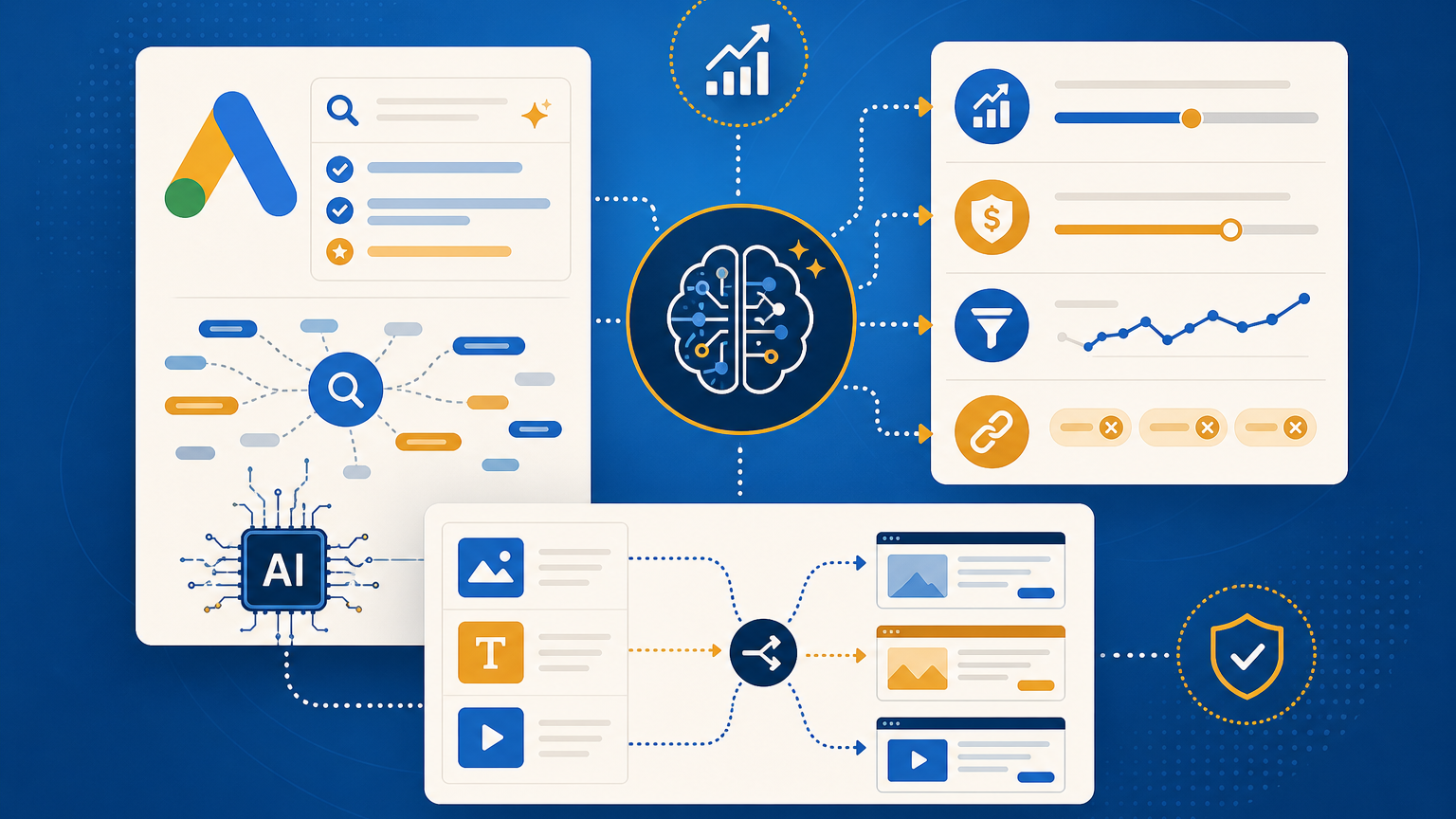
In practice, AI Max combines:
- Search term matching: finding additional relevant searches, including keywordless matching
- Text customization: adapting headlines and descriptions dynamically
- Final URL expansion: sending users to more relevant pages on your site
- additional controls and reporting: including brand controls, locations of interest, and more detailed reporting for search terms, ads, and landing pages
The mental model changes. You are no longer optimizing only keyword → ad → landing page. You are optimizing a system of signals, exclusions, conversion quality, and review routines.
2. The three key building blocks
2.1 Search term matching
Search term matching expands reach beyond your existing keywords. Google learns from your keywords, ads, URLs, and assets to identify additional queries that may perform.
The upside: You can reach long-tail intent and query variations you would never have booked manually.
The risk: You only know after reviewing the data whether those additional matches are genuinely useful. If your account optimizes toward low-quality leads, the system will find more low-quality leads faster.
2.2 Text customization
Text customization is the evolution of automatically created assets. Google can generate or adapt ad copy from your landing page, ads, and keywords.
The upside: Ads can become more relevant to the actual query.
The risk: If your landing page is vague, buzzword-heavy, or legally sensitive, the generated message may be click-friendly but commercially or legally wrong.
2.3 Final URL expansion
Final URL expansion can send users to a different page that Google considers more relevant.
The upside: You do not need to manually attach every possible useful page.
The risk: Without URL exclusions, traffic can land on pages that are not ready for paid search: blog posts without CTAs, old landing pages, thin category pages, or sensitive legal content.
3. Why Dynamic Search Ads are moving toward AI Max
Google has announced that Dynamic Search Ads and related automation features are moving toward AI Max. The logic is clear: DSA has long been the tool for website-based reach beyond classic keywords. AI Max takes that job and adds stronger AI matching, creative automation, and landing page selection.
If you still rely on older DSA structures, do not simply wait. Review which DSA campaigns actually drive quality, which search terms only create volume, and which landing pages should be eligible for paid traffic.
4. Opportunities for performance, CRO, and funnel testing
AI Max is most useful when the account already has a healthy base.
Find new demand
If a product has many query variations, AI Max can surface long-tail intent. A B2B training provider might go beyond “Google Ads course” and reach searches like “in-house performance marketing workshop for sales teams”.
Test creative faster
Text customization can reveal which benefit statements match which user intent. It does not replace positioning work, but it can give useful clues.
Evaluate landing pages more realistically
Final URL expansion often shows which pages Google considers relevant. That is not always correct, but it is useful CRO input. If the system repeatedly selects a specific category or guide page, review its CTA, form, internal links, and conversion path.
5. Risks: limited transparency, weak signals, uncontrolled budget use
AI Max is only as good as the signals you feed into it.
If your conversion tracking only measures form submits, but not lead quality, pipeline, or revenue, the system will optimize toward form submits. If you do not maintain negatives, wrong intent will stay in the account longer. If your site contains many irrelevant pages, final URL expansion can test places you would never choose manually.
Budget risk does not appear because AI is inherently bad. It appears because the system gets more freedom than your measurement setup can handle.
6. Setup plan: test AI Max with guardrails
Step 1: Clean up conversion events
Before enabling AI Max, review your conversion actions:
- Which conversions are Primary?
- Do you import offline conversions or CRM quality signals?
- Are micro-conversions accidentally used for bidding?
- Are there Consent Mode or tagging gaps?
Operational tip: export your conversion actions before the test and mark which ones should influence bidding.
Step 2: Choose a test campaign or segment
Do not start with your most important brand campaign. Pick a topic with enough volume but limited risk.
Good candidates:
- Non-brand campaigns with clear product groups
- Services with strong landing pages
- Campaigns with stable CPA or ROAS data
Bad candidates:
- Brand-protection campaigns
- legally sensitive offers
- accounts without reliable conversion tracking
Step 3: Define URL exclusions
If final URL expansion is active, you need an exclusion list. Block pages such as:
- privacy, legal, login, cart, checkout
- old campaign landing pages
- blog posts without conversion goals
- internal search pages
- expired offers
Step 4: Set brand controls and negatives
AI Max needs boundaries. Review:
- Which brands may appear in context?
- Which competitors should be excluded?
- Which search intents are clearly wrong?
- Which geographic intents are not relevant?
Step 5: Build a before/after measurement view
Before activation, capture a baseline:
- cost
- conversions
- CPA or ROAS
- conversion value
- search term quality
- landing page distribution
Do not only compare “more conversions.” Compare lead quality and page quality as well.
Step 6: Schedule weekly query and landing page reviews
The important routine is not switching AI Max on. It is reviewing what happens after that:
- Which new search terms appeared?
- Which ones are valuable?
- Which ones need to become negatives?
- Which landing pages are consuming budget?
- Which assets look strong but feel off-message?
7. Three practical examples
Example 1: B2B SaaS with many use cases
A SaaS company promotes “project management software.” AI Max finds additional searches around resource planning, project controlling, or agency workflows.
Opportunity: discover new use-case pages. Risk: generic leads with weak purchase intent. Next step: cluster search terms and build dedicated landing pages for the best clusters.
Example 2: E-commerce with a broad catalog
An outdoor store runs Search campaigns. Final URL expansion sends users not only to category pages, but also to product and guide pages.
Opportunity: better relevance for long-tail searches. Risk: traffic lands on informational pages without a purchase path. Next step: add product modules, internal links, and clear buying CTAs to guide pages.
Example 3: Local service provider with location intent
A local service provider wants to serve only specific regions. AI Max finds additional queries with geographic intent.
Opportunity: better local demand coverage. Risk: too broad geographic matching. Next step: review locations of interest, location exclusions, and CRM lead quality.
8. Common failure modes and fixes
Failure 1: Enabling AI Max on weak tracking
Symptom: conversions rise, but sales complains about lead quality. Cause: Google optimizes toward easy form submissions. Fix: import offline conversions, lead stages, or value-based signals.
Failure 2: Final URL expansion without exclusions
Symptom: budget flows into blog posts, old pages, or legal pages. Cause: too many URLs are eligible. Fix: define URL exclusions before activation and review them weekly.
Failure 3: Looking only at account-level CPA
Symptom: account-level performance looks stable, but individual intents burn budget. Cause: reporting is too aggregated. Fix: review search terms, assets, and landing pages separately.
Before / after
Before AI Max: You control more through keywords, ads, and manually selected landing pages. This is more transparent, but often slower and weaker in long-tail discovery.
After AI Max: You give Google more room to combine intent, copy, and landing pages dynamically. That can unlock new demand, but it requires better guardrails, better conversion data, and more disciplined reviews.
Ask your AI tool / LLM / agent
If you want to test AI Max, do not ask for a generic recommendation. Give your agent campaign exports, conversion goals, and a landing page list, then ask:
- “Which campaign is the lowest-risk AI Max test and why?”
- “Which URLs should I exclude before enabling final URL expansion?”
- “Which search terms would be clear negative candidates after two weeks?”
- “Which conversion actions are too soft for Smart Bidding?”
Final recommendation
AI Max is not an autopilot you simply turn on. It is a reach and relevance system that can be valuable with good signals and expensive with bad ones.
The pragmatic move: test AI Max with a clear hypothesis. A limited campaign, clean conversion events, URL exclusions, brand controls, and fixed query reviews are the difference between useful automation and uncontrolled spend with a polished interface.